









Download a transcript from any YouTube video in seconds.

Download YouTube transcript tool

Paste a video or audio link

YouTube, TikTok, Instagram, or a direct media link

Paste a YouTube link and download a precise, timestamped transcript with speaker labels. Up to 99% accuracy, processed on EU servers, in 6 languages.

Trusted by over 65,000 people worldwide
99% accuracy
1 free transcription per day
With or without a plan
Accuracy on clear audio
99 %
Per hour of audio
< 1 min
Languages supported
6
Professionals trust Vook.ai
65k+

How it works

From YouTube video to text in three steps.

No software to install, no forms to fill. Paste a link or drop your file and we'll handle the rest.

1

Paste your YouTube link

Paste a link to your video, or download it and drop the file in. Files up to 6 GB are accepted, no installation needed.

2

Vook.ai transcribes in minutes

Vook.ai detects speakers, adds timestamps, and produces a clean, punctuated transcript. Typically under one minute per audio hour.

3

Edit, export, ask

Review in our editor, export to PDF, DOCX, MD, SRT or HTML, and ask the chat to summarize, extract quotes, or pull themes.

Why Vook

The transcription AI that doesn't read your data.

European sovereignty isn't a feature, it's the foundation. Your files stay yours: encrypted, EU-hosted, and never used for training.

Hosted in the EU

Your files stay on French infrastructure and never cross the Atlantic. GDPR-native, no Cloud Act exposure.

AES-256 encryption

Encrypted at rest with AES-256. Only you can access your transcripts.

Never used for training

Your audio and transcripts are never used for training, never resold, never analyzed for ads.

GDPR-native

Built from day one for European compliance. DPA on request, full audit trail, your right to deletion respected.

Formats

Every video and audio format, covered

Vook.ai reads every common audio and video format, and exports to whatever your workflow needs.

We built Vook so that transcribing sensitive content never means handing it to a US cloud provider. Your files are processed in France, encrypted with AES-256, and audio is gone after seven days.
Vook.ai engineering team

Input formats

.mp3Most common
.wavLossless
.mp4Video audio
.m4aApple devices
.movQuickTime
.oggOpen source
.mpgaMPEG audio
.mpegMPEG audio
.opusLow-bitrate
.flacStudio quality
.aacStreaming
.webmWeb recordings
.wmaWindows
.aviVideo
.mtsAVCHD video
.m4vApple video
.mkvMatroska video
.wmvWindows video
.flvFlash video
.3gpMobile video

Export to

.pdfPrint-ready
.docxWord document
.mdMarkdown
.srtSubtitles
.htmlWeb page

For your profession

Made for people who work with words.

Content creators, researchers, and journalists all need accurate text from video. Here is how they use Vook.

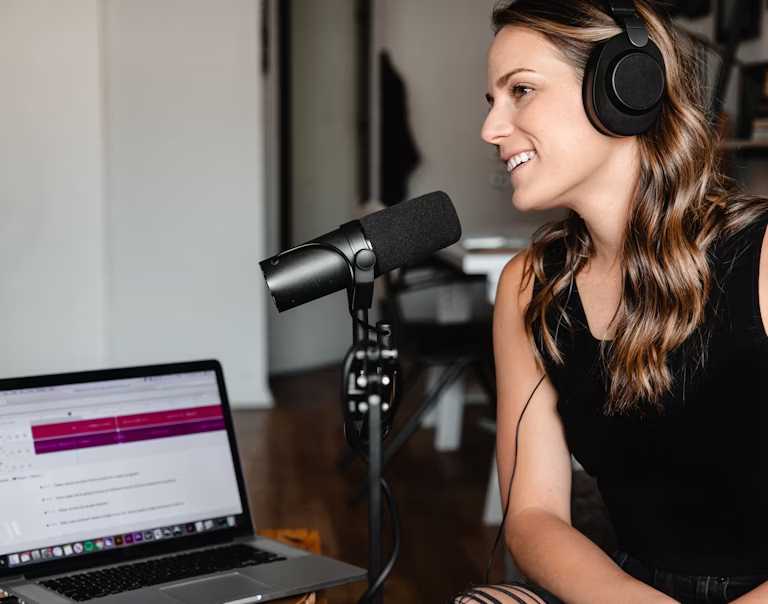
Interview transcription for journalists and newsrooms

Interview transcription, without typing a line

Every speaker identified

Quotes ready to extract

Accurate transcripts in minutes

Learn more

Guide

Everything about downloading YouTube transcripts

What is a YouTube transcript and why does it matter?

A YouTube transcript is a text version of everything spoken in a video, with optional timestamps and speaker labels. It makes video content searchable, accessible, and reusable. Writers use transcripts to build articles, educators use them to create study materials, and journalists use them to verify quotes.

YouTube's built-in captions are often auto-generated and lack punctuation, speaker attribution, or reliable accuracy. Downloading a proper transcript through a dedicated tool like Vook.ai gives you a clean, structured document you can actually work with.

How to download a YouTube transcript with Vook.ai

The process is straightforward. Paste the video link, or save your YouTube video as an MP4 or WEBM file and upload it to Vook.ai. The AI extracts the audio track and produces a full transcript in under a minute per hour of content. You can then review the text in the built-in editor and export in your preferred format.

  • Step 1: Add the video. Paste the YouTube link, or use a browser extension or desktop tool to download the video as MP4 or WEBM and upload it.
  • Step 2: Let Vook process it. Paste the link or drag the file onto the upload zone. There is no duration limit per file.
  • Step 3: Review and export. Edit any errors in the built-in editor, then download as PDF, DOCX, Markdown, SRT, or HTML.

Supported video formats for transcription

Vook.ai accepts all major video and audio formats, so you are not limited to a single file type. Whether your YouTube video is saved as MP4, MOV, or WEBM, the tool handles it without any conversion step on your end.

  • MP4. The most common YouTube download format, fully supported.
  • WEBM. The native web video format used by YouTube, accepted directly.
  • MOV. Apple QuickTime format, supported for screen recordings and edited exports.
  • Audio-only formats. MP3, WAV, M4A, FLAC, OGG, AAC, and OPUS are all accepted if you only need the audio track.

Speaker labels and timestamps explained

Vook.ai automatically identifies different speakers in the audio (diarization) and assigns each one a label in the transcript. Timestamps are added at regular intervals so you can jump to any point in the original video. Both features are included at no extra cost.

In the built-in editor, you can rename speaker labels, merge two speakers that were split incorrectly, or mask a name for privacy. When you export, the speaker labels and timestamps are preserved in every export format: PDF, DOCX, Markdown, SRT, and HTML.

Privacy and data security for your video files

Vook.ai is built as a European-first service. Your video file is encrypted with AES-256 at rest while stored on servers located in France. It is never routed through US infrastructure, so it is not subject to the US Cloud Act.

  • Auto-deletion. Audio files are deleted automatically after 7 days unless you save them to your account.
  • No AI training. Your content is never used to train or improve any model, and never sold to third parties.
  • GDPR compliance. A Data Processing Agreement is available on request, and your right to deletion is fully respected.

Tips for getting the best transcript accuracy

Vook.ai reaches up to 99% accuracy on clear audio. A few simple steps help you get the best results from your YouTube video files.

  • Use the original video file. Avoid re-compressed or screen-recorded versions when possible, as they reduce audio quality.
  • Choose the correct language. Selecting the right language before processing significantly improves accuracy. Vook.ai supports 6 languages.
  • Use the built-in editor. For videos with overlapping speakers, strong accents, or background noise, the editor lets you correct errors quickly before exporting.
  • Prefer higher-quality downloads. A 1080p MP4 typically has better audio than a 360p version, which translates directly to a cleaner transcript.

FAQ

Frequently Asked Questions

Have a different question and can’t find the answer you’re looking for? Contact us.

How do I download a transcript from a YouTube video?

Paste the video link, or download it as an MP4 or WEBM file and upload it to Vook.ai. The AI extracts the audio and generates a full transcript with speaker labels and timestamps. You can export it as PDF, DOCX, Markdown, SRT, or HTML.

Is Vook.ai free to use for YouTube transcripts?

Yes. Every account gets one free transcription per day, with no time limit. No credit card and no account are required to get started.

What video formats does Vook.ai accept?

Vook.ai accepts MP4, MOV, and WEBM, plus all major audio formats including MP3, WAV, M4A, FLAC, OGG, AAC, and OPUS. Maximum file size is 6 GB, with no duration limit per file.

How accurate is the YouTube transcript?

Up to 99% accuracy on clear audio in supported languages. Accuracy may be lower for overlapping speakers, low-quality recordings, or strong accents. The built-in editor lets you fix any errors quickly before exporting.

How long does it take to transcribe a YouTube video?

Processing takes less than one minute per hour of audio. A typical 10-minute YouTube video is ready in under two minutes.

Is my YouTube video kept private and secure?

Yes. Your file is encrypted with AES-256 at rest and stored on EU servers in France. Audio files are automatically deleted after 7 days unless you save them to your account. Vook.ai never uses your content to train AI models and never sells your data.

What languages are supported for YouTube transcription?

Vook.ai supports 6 languages: English, French, Spanish, German, Italian, and Portuguese.

Free plan

Get 1 free transcript per day. Upgrade for unlimited power.

Credits never expire

10h pass - no subscription

Use these hours whenever you want, they never expire

$3

per hour

Get your YouTube transcript now.

Free for occasional use. No credit card. One file per day, every day, forever.

Try now